Cyber Security

What Is a Man-in-the-Middle Attack

Photo by Stephen Phillips – Hostreviews.co.uk on Unsplash

A man-in-the-middle attack, often abbreviated as an MITM attack, is a type of cyber assault in which an unauthorized individual interposes themselves in the communication flow between two parties who assume they are engaging in direct communication. In this scenario, the attacker gains the ability to intercept, eavesdrop on, and potentially manipulate the content of the communication taking place. Man-in-the-middle attacks pose a significant threat as they allow for clandestine surveillance and potential tampering with communications across various contexts, such as interactions between individuals, clients, and servers, and even secure connections like HTTPS and other SSL/TLS protocols, as well as Wi-Fi network connections, among others.

Here is how a Man-in-the-middle attack works.

Picture a scenario where you and a colleague are engaged in a conversation through a secure messaging platform. In this situation, an adversary with malicious intent aims to intercept your exchange, clandestinely monitor it, and insert fabricated messages into the conversation, making it appear that these false messages are coming from you to your colleague. This form of cyber attack illustrates the peril of a man-in-the-middle assault, where the attacker attempts to undermine the integrity and confidentiality of your communication.

Initially, you request your colleague’s public key to establish secure communication. If your colleague sends her public key, but an attacker manages to intercept it, a man-in-the-middle attack becomes possible. The attacker sends you a fabricated message skillfully designed to mimic your colleague’s communication. However, this message contains the attacker’s public key instead of your colleague’s legitimate one. Thinking you are using your colleague’s public key, you encrypt your message and unknowingly employ the attacker’s key to secure it. Subsequently, you send this encrypted message back to what you believe is your “colleague.”The attacker, once again, intercepts the message, decrypts it using their private key, manipulates the content, and then re-encrypts it using the public key they initially intercepted from your colleague, who had intended to send it to you. As your colleague receives and examines the encrypted message, she is under the impression that it originated from you, unaware of the attacker’s meddling.

Open Source Security Testing Tools You Can Start Using Today

Photo by Andrew on Unsplash

In today’s interconnected world, ensuring your digital assets’ security is paramount. As cyber threats continue to evolve, it’s crucial to have effective security testing tools at your disposal. Fortunately, the open-source community offers a wealth of powerful security testing tools to help identify vulnerabilities and strengthen defenses. In this blog post, we’ll explore some of the top open-source security testing tools you can use today.

  1. OWASP ZAP (Zed Attack Proxy): OWASP ZAP is a popular open-source web application security scanner. It provides a comprehensive set of features for finding vulnerabilities in web applications, including automated scanning, manual testing, and security analysis. ZAP is highly extensible, allowing you to customize and enhance its capabilities according to your specific requirements. It’s an invaluable tool for identifying common web application vulnerabilities like cross-site scripting (XSS), SQL injection, etc.
  2. Nmap (Network Mapper): Nmap is a versatile and powerful open-source network scanning tool for security auditing and network exploration. With its extensive scanning techniques, Nmap can map out hosts, identify open ports, and detect potential vulnerabilities. It supports a scripting engine that enables you to automate tasks and create custom scripts for targeted scanning. Nmap is an essential tool for assessing network security and identifying potential entry points for attackers.
  3. Wireshark: Wireshark is a widely used open-source packet analyzer for network troubleshooting and security analysis. It allows you to capture and examine network traffic at a granular level. Wireshark provides detailed insights into network protocols, allowing you to detect anomalies, analyze network behavior, and identify security threats. Its robust filtering capabilities and extensive protocol support make it an indispensable tool for network security professionals.
  4. Metasploit Framework: The Metasploit Framework is a powerful open-source penetration testing platform that enables you to assess and exploit vulnerabilities in systems and applications. With a vast collection of exploits, payloads, and auxiliary modules, Metasploit simplifies the process of penetration testing and helps security professionals validate the effectiveness of their defenses. It also offers a collaborative community and a wide range of resources for sharing knowledge and expertise.
  5. Nikto is an open-source vulnerability scanner to identify security flaws in web servers and applications. It performs comprehensive tests, including server misconfigurations, outdated software versions, and potentially dangerous files or scripts. Nikto provides detailed scan reports, making prioritizing and remediating identified vulnerabilities easier. Its simple command-line interface and extensive plugin support make it a valuable tool for security testing.

Securing your digital assets requires a proactive and comprehensive approach. By leveraging open-source security testing tools, you can enhance your security posture and protect against potential threats. The tools mentioned in this blog post, including OWASP ZAP, Nmap, Wireshark, Metasploit Framework, and Nikto, offer powerful capabilities to identify vulnerabilities, assess network security, and perform penetration testing. Start exploring these open-source tools today and take a proactive stance in securing your systems and applications. Remember to stay updated with the latest releases and actively participate in the open-source community to maximize the benefits of these valuable resources.

Difference between Hacker, Developer, and Security Researcher

There is always a misconception about understanding the role of a Hacker, a Programmer, a Developer, and a Security Researcher. We have always been stuck with the quote, “Security is Just an illusion.” So why did we use to write this line everywhere? Such questions might be asked in Interviews or in any IT Department. So Read this article till the end! And Do share when you complete it.

All the applications and software we use, from booting your computer to switching it off, are designed from code. A specific person designs this code. Some know this person as a ‘Programmer‘ while some know this person as a ‘Developer.’ So basically, In this article, we will differentiate between two similar terms #1 would be Programmer vs. Developer, and #2 would be Hacker vs. Security Researcher.

However, the function of all four of them is entirely different. Thus, here we are to clear this doubt once and for all! Below, we have explained the difference between a Programmer, a Developer, a Hacker, and a Security Researcher. So stay tuned to solve any doubt you must have on your part.

As an introduction, you can explain all four categories mathematically as a Venn diagram. For example, consider Programmers to be a Universal Set, and Developers and Hackers are intersecting Subsets of the Universal set of Programmers. This is the mathematical illustration of the introduction of Programmers, Developers, and Hackers.

Programmers & Developers

A programmer is the most skilled coder and has only expertise in a few programming languages. The primary function of a programmer is to write the codes for a smooth and efficient application. Both the Hackers and Developers are Programmers. However, Programmers are not meant to be Hackers or Developers.

Developers create things which is the reason why they are called Developers. A Developer can find ways to identify and solve a problem. Developers manage their applications’ maintainability, performance, robustness, and security.

Hacker

A Hacker is a creative person with expertise in various areas such as computer knowledge, programming, etc. Hackers are required in emergencies and are widely known for their speed. A hacker uses bugs or any other errors to enter a computer system. A Hacker does not makes applications but makes alterations to them to enter its system.

Security Researcher

The rise of cyber-attacks and the origins of new Malware increases the demand for Security Researchers. In short and simple, a Security researcher is the one who used to find Bug, Malware, and Exploits in various web applications and reports them to company owners, and takes a security bounty. Unlike Hackers, as we told you above. Hackers may sell this same data or could be used for wrong associations. Therefore, the scope of Jobs for Security researchers is relatively high in demand.

This is the difference between a Programmer, a Hacker, a Developer, and a security researcher. No need to create any confusion related to these terms. These all terms are integrated. However, if you still have any doubts, let us know in the comments below.

What’s the Difference Between 2FA and MFA?

Two-factor authentication (2FA) is multi-factor authentication (MFA). Both authentication solutions provide additional account security by requiring additional factors of authentication. To understand how exactly 2FA and MFA differ, it’s firstly important to understand the concepts of authentication and factors of authentication.

What is Authentication?

Authentication is a fundamental concept of identity access management (IAM) that enables a system to verify the identity of a user. Factors of authentication are security mechanisms that prove a user is who they claim to be before granting access. There are three types of authentication factors, including:

  • Knowledge factor (something you know): e.g., a one-time password (OTP), a personal identification number (PIN)/passcode, an answer to a security question

  • Possession factor (Something you have): e.g., a mobile device or another physical device, a fob, a hardware token (e.g., Yubikey), a security token/ security key

  • Inference factor (Something you are): e.g., biometrics, such as fingerprints, facial recognition, retina scan, voice recognition

Two-Factor Authentication vs. Multi-Factor Authentication

The definitions of two-factor and multi-factor authentication, and the differences between these security mechanisms, are listed below.

What is Two-Factor Authentication (2FA)?

Two-factor authentication (2FA) is a type of multi-factor authentication (MFA) that verifies end users’ identities based on two factors before granting access to online accounts. 

Below is an example of 2FA in action:

A user attempts to log in to an online service with their username and password.

The system confirms the login credentials are correct, prompting the second authentication factor.

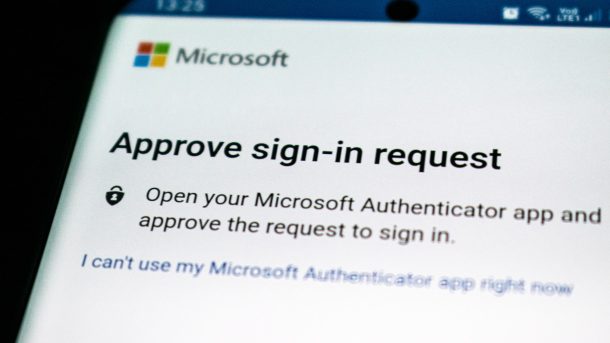
The user receives a push notification (possession factor) to confirm they are attempting to log in. 

The user is redirected to the service’s login page and prompted to use facial recognition (biometric factor).

The system verifies the facial recognition attempt and grants access to the user.

2FA vs. MFA

Below is a summary of the difference between 2FA and MFA:

2FA is a subset of MFA

All instances of 2FA are instances of MFA. 

Not all instances of MFA are 2FA. 

MFA requires more pieces of evidence than 2FA to grant users access

Why are 2FA and MFA Important?

Most financial, healthcare, educational, and government institutions now facilitate online accounts. These service providers store personally identifiable information (PII), protected healthcare information (PHI), and other confidential information. Account protection once relied on single-factor authentication (SFA) methods – usually the use of passwords. These are no longer enough on their own. 

Cybercriminals in today’s threat landscape are highly specialized in gaining unauthorized access to sensitive data, especially via SFA logins. There are many techniques hackers can use to steal passwords and exploit users’ personal information for malicious purposes.

Standard password-stealing methods include:

Brute-force attacks: In this type of cyber attack, a hacker strategically guesses a user’s password until they crack the correct combination. This method has an exceptionally high success rate when users have weak passwords, e.g., birthdates.

Data leaks: A user/service accidentally expose sensitive data on the Internet, which a hacker finds and exploits to gain unauthorized access, e.g., a birthdate on LinkedIn. Leaked credentials from historical data breaches provide hackers an even easier attack vector. Despite its major security issues, many people still reuse the same passwords across different accounts. Attackers can use these compromised passwords across multiple accounts for the same user until they find a successful login combination. 

Keyloggers: Hackers install this type of malware on unsuspecting users’ systems. Keyloggers record keystrokes and read clipboard data on hacked devices, allowing hackers to steal passwords and other information which could allow unauthorized access.

2FA and MFA prevent cybercriminals from taking advantage of compromised passwords by relying on additional authentication methods. Unlike SFA, if a hacker steals a user’s password, they still can’t gain access to the user’s account. They’ll still have to provide at least one additional authentication – inherence or biometric –  something they are less likely capable of doing.

Is MFA More Secure Than 2FA?

Both 2FA and MFA are much more secure forms of authentication than single-factor authentication (SFA), relying on more than just a password. MFA is usually considered safer than 2FA as it provides the most layers of security against cyber criminals. However, the strength of an MFA solution depends on how secure its additional authentication methods are. 

For example, the possession factor of email and SMS verification codes is not as secure as other types of authentication. The abundance of phishing scams across both platforms and the ability to hack SIM cards create additional cybersecurity risks. MFA is most effective when it relies upon biometric authentication factors, which are unique to the user and difficult to replicate.


    What is Phishing?

    Photo by Yogas Design on Unsplash

    Phishing is a cyber attack that gathers sensitive information like login credentials, credit card numbers, bank account numbers, or other financial information by masquerading as a legitimate website or email. Personal information like social security numbers, phone numbers, and social media account information are also common targets for cybercriminals who perform identity theft.

    Common phishing attempts clone financial institutions, emails from colleagues, auction sites, social media sites, and online payment processors. Despite being one of the oldest cyber crimes, phishing remains a large cyber threat to many organizations. This is due to its widespread use and sophisticated phishing campaigns. Phishers are increasingly gathering information about their targets to improve the effectiveness of their phishing messages.

    Security awareness training is a great way to minimize phishing’s cyber security risk. Phishing emails may also contain infected attachments to install malware such as ransomware or to gain unauthorized access to sensitive data to cause a data breach.

    It’s important to remember that some of the biggest data breaches come from outside of your organization. If your third-party vendors have access to sensitive data, then it’s as important to have them educate their staff about phishing risks. Third-party risk, fourth-party risk, and vendor risk related to phishing must be part of your third-party risk management framework and vendor risk management program.

    Operating System (OS) command injection

    Photo by Gabriel Heinzer on Unsplash

    Some web applications make calls to operating systems so that they can communicate with the operating system or hardware. OS calls include functions like:

    • Process control: monitoring what an application is doing and providing for termination
    • File management: giving the application access to interact with files
    • Device management: requesting or managing hardware like processing power
    • Information maintenance: managing or maintaining information as part of keeping data updated
    • Inter-process communication: coordinating processes for effective operation

    Insecure OS command calls allow users to supply invalidated inputs. In other words, the malicious actors can take the OS command call, add an additional query notation, and gain valuable information about how to exploit the application.

    What is Wireless Pentesting?

    Every discovery or invention ever made has some kind of radiation. Sometimes it is a positive vibe radiated, and sometimes it is a negative vibe. Sometimes the radiation is something chemical, and sometimes it is electrical. Every single life depends on such radiation. Even a human body radiates some warmth. Speaking of radiation, let’s talk about the radiations we often use in daily life which are also known as “Electromagnetic Fields” or EMFs that are emitted from a wireless router or what we often call “Wi-Fi”. The world is turning digital and so are our needs. Whatever you ask or wish for can be done digitally via the internet. From buying to selling, learning to teaching, paying to receiving, and so much more. You could say, we’re totally attached to digital life. A Wireless router is one of the most popular sources of access to the internet. Wi-Fi is basically a phenomenon that increases the capability of computer systems and allows them to connect and communicate with each other via the internet or you can say via an EMF. Well, we know that communication between devices is important to share data but is it safe or secure? Maybe or maybe not. Nothing is ever safe in the entire cosmic creation until proper actions have been taken to secure it. Wireless is no exception to it.

    Before moving ahead, let’s think about “What does wireless security/pentesting mean?”.

    Since the creation of entire existence, there isn’t anything created that isn’t even a little bit flawed regardless of what it is. Since “Wireless” is the star of our eye here, it isn’t anything different. Wireless security simply means protecting our network to secure ourselves from the danger that hovers above us while using the internet. In other words, wireless security refers to the prohibition of access to a computer system for those who are unauthorized so that no one faces any kind of loss. The internet is expanding further and further across the world and so are the dangers crawling in between it. For the sake of our own privacy and peace, it is quite important to have a secure network.

    Now let the discussion moves towards wireless pentesting. For proper security to be applied to something, it’s necessary to first analyze as to where that security is needed to be applied. In other words, it is necessary to find all the vulnerabilities or flaws in a system so as to patch it and make it secure. This is known as pentesting in layman’s terms. Pentesting or Penetration testing is basically a process where a tester or hacker tries to hack into a computer system so that he/she can find a vulnerability that allows him/her to get into the system which later on patched up or secured. Wireless pentesting is the same as well. In other words, wireless pentesting refers to the process of withdrawing out vulnerabilities that can allow an attacker/hacker to get into a network and can cause harm to a user.

    We’ve discussed the meaning of wireless pentesting; now let’s take steps towards “Why it is necessary?”

    The growing and expanding digital world is capable to make your work/task efficient as well as harm or destroy you. An excess amount of something is always dangerous. This applies to a network as well. In the age of cyber technology and ongoing cybercrimes, it is necessary to keep your distance from the harm. Let’s talk about what could happen in an insecure network. Since we’re talking about the wireless network here, let’s face the facts about that. The spreading of knowledge in the world can only reach so far. But wherever it reaches, there is someone who misuses this knowledge. Some hackers are one of them which you can also call “Black hat hackers”. There are many destructions an attacker can cause if he/she gets into your network. One of the destructive attacks is a “Man in the middle” attack where an attacker can get into your network and control the flow of data through a system to another without any knowledge of the actual users or owners of those systems. Another instance of the attack is the “KRACK” attack where an attacker can break or crack the password security on a network and can intrude into a system and steal your data, payment card details, identity and so much more. An attacker can easily take control over an insecure wireless network or a wireless device and can sniff out sensitive data that you send or receive using that network and use it against you to maybe demand a ransom or maybe hurt you emotionally or someone you care about. In the end, none of these attacks or threats results in anything good.

    8 Offensive Security Tools for SysAdmins

    Photo by ThisisEngineering RAEng on Unsplash

    Metasploit Framework Metasploit Framework – an open-source tool for exploit development and penetration testing. Metasploit is well known in the security community. Metasploit has exploited for both server and client-based attacks; with feature-packed communication modules (meterpreter) that make pwning systems fun! The framework now includes Armitage for point and click network exploitation. This is the go-to tool if you want to break into a network or computer system.

    Defending against Metasploit :

    • Keep all software updated with the latest security patches.
    • Use strong passwords on all systems.
    • Deploy network services with secure configurations.

    Ettercap Ettercap – a suite of tools for man in the middle attacks (MITM). Once you have initiated a man in the middle attack with Ettercap, use the modules and scripting capabilities to manipulate or inject traffic on the fly. Sniffing data and passwords are just the beginning; inject to exploit FTW!

    Defending against Ettercap :

    • Understand that ARP poisoning is not difficult in a typical switched network.
    • Lockdown network ports.
    • Use secure switch configurations and NAC if the risk is sufficient.

    SSLStrip sslstrip – using HTTPS makes people feel warm, fuzzy, and secure. With sslstrip, this security can be attacked, reducing the connection to an unencrypted HTTP session, whereby all the traffic is readable. Banking details, passwords, and emails from your boss, all in the clear. Even includes a nifty feature where the favicon on the unencrypted connection is replaced with a padlock just to make the user keep that that warm fuzzy feeling.

    Defending against sslstrip :

    • Be aware of the possibility of MITM attacks (arp, proxies/gateway, wireless).
    • Look for sudden protocol changes in the browser bar. Not really technical mitigation!

    Evilgrade evilgrade – another man in the middle attack. Everyone knows that keeping software updated is the way to stay secure. This little utility fakes the upgrade and provides the user with a not so good update. Can exploit the upgrade functionality on around 63 pieces of software including Opera, Notepad++, VMware, Virtualbox, iTunes, QuickTime and Winamp! It really whips the llama’s ass!

    Defending against evilgrade :

    • Be aware of the possibility of MITM attacks (arp attacks, proxy/gateway, wireless).
    • Only perform updates to your system or applications on a trusted network.

    Social Engineer Toolkit Social-Engineer Toolkit – makes creating a social engineered client-side attack way too easy. Creates the spear phish, sends the email and serves the malicious exploit. SET is the open-source client-side attack weapon of choice.

    Defending against SET:

    • User awareness training around spear phishing attacks.
    • Strong Email and Web filtering controls.

    SQLmap sqlmap – SQL Injection is an attack vector that has been around for over 10 years. Yet it is still the easiest way to get dumps of entire databases of information. Sqlmap is not only a highly accurate tool for detecting SQL injection, but also has the capability to dump information from the database and to even launch attacks that can result in operating system shell access on the vulnerable system.

    Defending against sqlmap :

    • Filter all input on dynamic websites (secure the web applications).
    • Use mod_proxy or other web-based filtering controls to help block malicious injection attacks (not ideal as often able to bypass these web application firewalls (WAF).

    Aircrack-NG aircrack-ng – breaking holes in wireless networks for fun and profit. A suite of tools that enables all manner of wireless network attacks.

    Defending against aircrack-ng:

    • Never use WEP
    • When using WPA2 with pre-shared keys, ensure passwords are strong (10+ characters non-dictionary based passwords).

    oclHashcat oclHashcat – Need to get some passwords from the hashes you grabbed with sqlmap? Use this tool to bust them open. Over 48 different hashing algorithms supported. Will use the GPU (if supported) on your graphics card to find those hashes many times faster than your clunky old CPU.

    Defending against oclHashcat:

    • Passwords are the weakest link. Enforce password complexity.
    • Protect the hashed passwords.
    • Salt the hashes.

    What is Spear Phishing?

    Photo by Crawford Jolly on Unsplash

    Phishing is a cyber attack that gathers sensitive information like login credentials, credit card numbers, bank account numbers, or other financial information by masquerading as a legitimate website or email. In addition, personal information like social security numbers, phone numbers, and social media account information are also common targets for cybercriminals who perform identity theft.

    Phishing scams trick victims using social engineering to create a sense of urgency. Once the victim opens a phishing email or text message and clicks the malicious link, they are taken to a fake website that matches the legitimate site.

    Common phishing attempts clone financial institutions, emails from colleagues, social media sites, and online payment processors.

    Despite being one of the oldest cyber crimes, phishing remains a significant cyber threat to many organizations. This is due to its widespread use and sophisticated phishing campaigns. In addition, phishers are increasingly gathering information about their targets to improve the effectiveness of their phishing messages.

    Security awareness training is a great way to minimize phishing’s cyber security risk. Phishing emails may also contain infected attachments to install malware such as ransomware or to gain unauthorized access to sensitive data to cause a data breach.

    It’s important to remember that some of the most significant data breaches come from outside of your organization. If your third-party vendors have access to sensitive data, then it’s as essential to have them educate their staff about phishing risks. Third-party risk, fourth-party risk, and vendor risk related to phishing must be part of your third-party risk management framework and vendor risk management program.