Brian

What is Web Application Security?

Photo by Carlos Muza on Unsplash

Since the commencement of existence, every element was needed to be protected or secured for peace. There is no exception in the aspects that are required to be secured, which includes human beings as well. Human beings face danger and fall victim to crimes in many ways. One of which is cyber crime. In day to day life, we’re all depending on the internet and the applications we use on the internet. These apps can be used to cause harm by any means to its user. Moving forward, a web application is simply an application that is primarily used on a browser to perform a task over the internet, depending on the user’s needs. These applications are created using various techniques and languages with the hope of making it efficient for users to perform a specific task. As we know, every coin has two sides, so does the internet. The internet is home to excellent knowledge and, simultaneously, home to different crimes, often referred to as “cyber crime.” These web applications can be used for cyber crime activities. It could be any activity like stealing money from someone, stealing their identity, corrupting or destroying a computer system, stealing some sensitive data, and so much more. Therefore, it is necessary to secure ourselves from such crimes and prevent them from harming us.

The first thing that pops up in our mind is, “What does web app security/Pentesting mean?”.

Since we all know that nothing in existence is perfect, neither is a computer system nor everything inside it. Web app security refers to the amount of protection or the total layers of protection applied on a web application. Web Application Pentesting means performing various methods or techniques on an application to draw out or highlight its vulnerability or several vulnerabilities to patch those weaknesses up to make that application secure and efficient. Penetration testing (often referred to as “Pentesting”) is a technique of testing various nodes present on the internet to find out the flaws and strengthen them up.
Now we all know what it is. The next thing that we think of is, “Why is Web Application Pentesting necessary/needed?”

Well, the entire existence is flawed regardless of what it is. These flaws can sometimes lead up to something serious, which ends up in human beings’ suffering. The suffering could be either emotional or physical. So, the web applications are no exceptions. The thing that differs from every other flawed entity is that these flaws can be removed and strengthened up. These flaws are necessary to be sealed up because they can be used in a number of ways to harm a user, either virtually or physically. Let’s take up a few instances of how and what various harms can an attacker cause a user using these flaws/vulnerabilities/weaknesses.
Many tools exist that can be used to analyze and a system’s security and find out vulnerabilities that can be used as a path to intrude into a plan to cause destruction. Such tools can be used to secure a network and, at the same time, create a severe threat. These include a vast number of tools like “Metasploit” which is one of the most influential and notorious tools that can be used to withdraw out the flaws and use them as an exploit in a system. Metasploit has over 2000 catalogued vulnerabilities, and even if any 1 of those vulnerabilities is present in a system, then that system is as good as a destroyed one. “John the Ripper” is another tool that is considered one of the fastest password cracking tools and can be used to decrypt your Wi-Fi password, system password, password-protected files, encrypted files, etc. more without much effort. Another one of the most powerful tools is “Maltego,” which can be used for open-source intelligence and digital forensics. An attacker can use this tool to recover all the sensitive data that you’ve deleted or hidden that you didn’t want anyone to get hands-on. An attacker can trace the bits of evidence of that file’s existence and can reach its current location and cause you to harm using those files. There are many more tools that an attacker can use to attack you or the ones close to you in many ways like phishing scams where an attacker can lure you towards using a website or an application that might seem genuine but is not and is used to obtain sensitive information, identity theft scams where an attacker can perform a criminal act and impersonate you while doing that, online harassment where an attacker can harass or harm someone emotionally which might end up in a case of suicide, and so much more threats like these.
What’s the Difference Between 2FA and MFA?

Two-factor authentication (2FA) is multi-factor authentication (MFA). Both authentication solutions provide additional account security by requiring additional factors of authentication. To understand how exactly 2FA and MFA differ, it’s firstly important to understand the concepts of authentication and factors of authentication.

What is Authentication?

Authentication is a fundamental concept of identity access management (IAM) that enables a system to verify the identity of a user. Factors of authentication are security mechanisms that prove a user is who they claim to be before granting access. There are three types of authentication factors, including:

  • Knowledge factor (something you know): e.g., a one-time password (OTP), a personal identification number (PIN)/passcode, an answer to a security question

  • Possession factor (Something you have): e.g., a mobile device or another physical device, a fob, a hardware token (e.g., Yubikey), a security token/ security key

  • Inference factor (Something you are): e.g., biometrics, such as fingerprints, facial recognition, retina scan, voice recognition

Two-Factor Authentication vs. Multi-Factor Authentication

The definitions of two-factor and multi-factor authentication, and the differences between these security mechanisms, are listed below.

What is Two-Factor Authentication (2FA)?

Two-factor authentication (2FA) is a type of multi-factor authentication (MFA) that verifies end users’ identities based on two factors before granting access to online accounts. 

Below is an example of 2FA in action:

A user attempts to log in to an online service with their username and password.

The system confirms the login credentials are correct, prompting the second authentication factor.

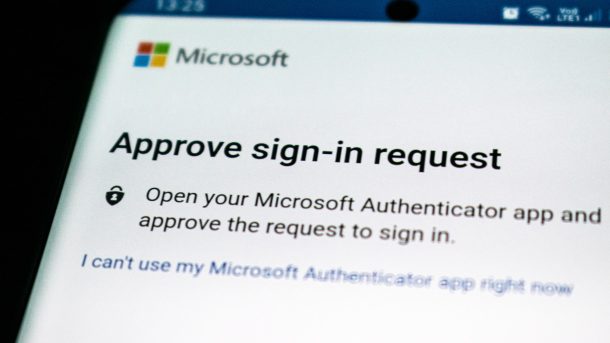
The user receives a push notification (possession factor) to confirm they are attempting to log in. 

The user is redirected to the service’s login page and prompted to use facial recognition (biometric factor).

The system verifies the facial recognition attempt and grants access to the user.

2FA vs. MFA

Below is a summary of the difference between 2FA and MFA:

2FA is a subset of MFA

All instances of 2FA are instances of MFA. 

Not all instances of MFA are 2FA. 

MFA requires more pieces of evidence than 2FA to grant users access

Why are 2FA and MFA Important?

Most financial, healthcare, educational, and government institutions now facilitate online accounts. These service providers store personally identifiable information (PII), protected healthcare information (PHI), and other confidential information. Account protection once relied on single-factor authentication (SFA) methods – usually the use of passwords. These are no longer enough on their own. 

Cybercriminals in today’s threat landscape are highly specialized in gaining unauthorized access to sensitive data, especially via SFA logins. There are many techniques hackers can use to steal passwords and exploit users’ personal information for malicious purposes.

Standard password-stealing methods include:

Brute-force attacks: In this type of cyber attack, a hacker strategically guesses a user’s password until they crack the correct combination. This method has an exceptionally high success rate when users have weak passwords, e.g., birthdates.

Data leaks: A user/service accidentally expose sensitive data on the Internet, which a hacker finds and exploits to gain unauthorized access, e.g., a birthdate on LinkedIn. Leaked credentials from historical data breaches provide hackers an even easier attack vector. Despite its major security issues, many people still reuse the same passwords across different accounts. Attackers can use these compromised passwords across multiple accounts for the same user until they find a successful login combination. 

Keyloggers: Hackers install this type of malware on unsuspecting users’ systems. Keyloggers record keystrokes and read clipboard data on hacked devices, allowing hackers to steal passwords and other information which could allow unauthorized access.

2FA and MFA prevent cybercriminals from taking advantage of compromised passwords by relying on additional authentication methods. Unlike SFA, if a hacker steals a user’s password, they still can’t gain access to the user’s account. They’ll still have to provide at least one additional authentication – inherence or biometric –  something they are less likely capable of doing.

Is MFA More Secure Than 2FA?

Both 2FA and MFA are much more secure forms of authentication than single-factor authentication (SFA), relying on more than just a password. MFA is usually considered safer than 2FA as it provides the most layers of security against cyber criminals. However, the strength of an MFA solution depends on how secure its additional authentication methods are. 

For example, the possession factor of email and SMS verification codes is not as secure as other types of authentication. The abundance of phishing scams across both platforms and the ability to hack SIM cards create additional cybersecurity risks. MFA is most effective when it relies upon biometric authentication factors, which are unique to the user and difficult to replicate.

    Insecure Cryptographic Storage

    Photo by Lia Trevarthen on Unsplash

    Encrypting stored data is a standard best practice for preventing unauthorized access to or use of sensitive information. Encryption takes information stored in a readable format, such as PlainText, then uses mathematical algorithms to scramble it, making it unreadable. Encryption typically requires an encryption key, which is the technology that applies the algorithm that scrambles the data and is also used to make the information readable again. However, the protection no longer works if someone finds the encryption key.

    The insecure cryptographic storage vulnerability means you have a problem with one or more of the following:

    • Not encrypting all sensitive data
    • Improper key storage and management
    • Easy to crack encryption algorithms
    • Internally-designed, untested algorithm

    Top 2 Free Open Port Check Tools

    Photo by Compare Fibre on Unsplash

    The open ports in your hardware could be critical points of vulnerability if the services exposed to them are misconfigured or unpatched. Unfortunately, many organizations are exposing their sensitive resources through such malicious connections, heightening the risk of ransomware attacks, supply chain attacks, and data breaches. Fortunately, free tools can detect all of the open ports in your ecosystem to assess the level of criticality of each exposure.

    In this post, we discuss the two best free open port scanners you can start using today to check for open ports in your ecosystem.

    What is Open Port Scanning?

    Port scanning is the process of analyzing the security of all ports in a network. It involves identifying open ports and sending data packets to select ports on a host to identify any vulnerabilities in received data. Network reconnaissance should be completed regularly to identify and remediate vulnerabilities before cyber attackers discover them. Unfortunately, cybercriminals also use port scanners to garnish vulnerability intelligence about a potential victim before launching a cyberattack.

    Because many of these tools are freely accessible, you must assume that cybercriminals are using them to study your open ports. So they cannot be the only security controls protecting your network. This is why network administrators should only use free open port scanners to determine the level of network visibility available to potential cyber attackers. In addition, all free port scanners should be supported with additional security solutions for maximum security. TCP Port scanners can also help penetration testers determine which specific ports accept data to protect them from compromise.

    List of Common Network Port Numbers

    Every port in a network transports a specific type of network traffic. Each of these ports is assigned a particular number to be easily differentiated.

    There are two types of network ports:

    TCP – Transmission Control Protocol

    UDP – User Diagram Protocol.

    What’s the difference between UDP and TCP?

    The TCP uses a handshake protocol. TCP also checks each data packet for errors. UDP doesn’t include verification, error checking, or any handshakes. Because of the different processes, TCP is a slower protocol than UDP.

    Port numbers range from 0 – 65,535, forming a total of 65,536 ports. These ports are either TCP, UDP, or a combination of both. Because of this extensive range, port numbers are ranked by relevance to shorten the list of network options.

    Ports 0-1023 are primarily designed for internet connections.Ports 1024-49151 are ‘registered ports’ designated for exclusive use by registered software corporations and applications. Ports 49152-65,536 are private ports that can be used by anyone.

    Tools

    1. Nmap

    Nmap (short for Network Mapper) is one of the most popular free, open-source port scanning tools. It offers many different port scanning techniques, including TCP half-open scans.

    Key features:

    Multiple port scanning techniques.

    Identifies all open ports on targeted servers.

    Operating system detection.

    Discovers network services

    Scans remote ports

    TCP SYN Scanning

    UDP and TCP port scanning.

    Can scan comprehensive networks housing tens of thousands of network devices. Supports Mac, Linux, Windows Solaris, OpenBSD, Free BSD, and more.

    2. Wireshark

    Wireshark is a free network sniffing tool used to detect malicious activity in network traffic. This tool can also be used to detect open ports.

    Key features:

    Reveals request and reply streams in each port.

    Malicious network discovery.

    Troubleshoots high bandwidth usage.

    Offers multiple data packet filters.

    Allows users to follow and monitor data streams of interest.

    What is an SSL Certificate?

    Photo by Stephen Phillips – Hostreviews.co.uk on Unsplash

    An SSL certificate (or TLS certificate) is a digital certificate that binds a cryptographic key to your organization’s details. Secure Sockets Layer (SSL) are cryptographic protocols designed to encrypt communication between a server and a web browser.

    While SSL certificates are installed server-side, there are visual cues in the browser that show SSL protection. If SSL is present, you may see https:// in the address bar, a padlock, a green address bar, or a combination of the three. SSL secures your connection to a web server and encrypts any transferred data. Encrypting data reduces the cybersecurity risk of man-in-the-middle attacks or many other cyber attacks. SSL has traditionally been used to secure credit card information on e-commerce sites, personal data transfers, and social media sites.

    Today, search engines like Google have called for HTTPS everywhere, even if websites don’t handle sensitive data or information like personally identifiable information (PII). HTTPS not only provides critical information security and data integrity but is a requirement for many new web browser features like progressive web apps (PWAs). What is Transport Layer Security (TLS)?

    Transport Layer Security (TLS) is the successor to Secure Sockets Layer (SSL). Think of it as a more secure version of SSL. Despite new certificates using TLS (RSA or ECC), it remains common for security certificates to be referred to as SSL certificates.

    TLS, like SSL, provides privacy and data integrity between two or more communicating applications. When secured by TLS, connections between your browser and a server must have one or more of the following properties:

    The connection is secured by symmetric cryptography. The keys for symmetric encryption are unique to each connection, based on a shared search negotiated at the start of a session through a TLS handshake. The server and your browser negotiate the details of which encryption algorithm and cryptographic keys are used before data is transmitted. Negotiating a shared secret is secure (preventing eavesdropping) and reliable (no attacker can modify messages without being detected, preventing man-in-the-middle attacks).

    The identity of communicating parties can be authenticated using public-key cryptography. Public keys are disseminated widely, and private keys are only known to the owner. People can encrypt a message using the receiver’s public key, but only their private key can decrypt. Authentication can be optional but is generally required for at least one of the parties (typically the server).

    The connection is reliable because each transmitted message has integrity checked using a message authentication code (MAC), preventing undetected loss or manipulation of data. A MAC is a short piece of information used to confirm the message came from the stated sender and has not been changed. This protects data integrity and authenticity.

    In addition, the configuration of TLS can provide additional privacy-related benefits like forwarding secrecy. Forward secrecy ensures future disclosure of session keys only compromises a particular session. This is achieved by generating a unique key for each session, so the compromise of a single session key cannot affect the data exchanged in any other session.

    What is Hypertext Transfer Protocol Secure (HTTPS)?

    Hypertext Transfer Protocol Secure (HTTPS) is an extension of Hypertext Transfer Protocol (HTTP). It is used to securely transfer data over a network. In HTTPS, the communication is encrypted using TLS.

    HTTPS provides authentication of the accessed website, protecting the privacy and integrity of exchanged data. It also protects against man-in-the-middle attacks such as eavesdropping and tampering with transmitted data. Because HTTPS piggybacks HTTP on top of TLS, the entire HTTP protocol is encrypted, including the requested URL (the specific page requested), query parameters, headers, and cookies (which often contain identifying information about the user).

    The one thing that eavesdroppers can see is the website address and port numbers which are part of TCP/IP protocols and not protected by HTTPS. This means an eavesdropper can infer the IP address and port number of a web server (the domain name but not the specific page) that you are communicating with, as well as the amount of data transferred and session time.

    Modern web browsers know which HTTPS websites to trust based on pre-installed certificate authorities. Certificates authorities like Let’s Encrypt are trusted to provide valid certificates. This means HTTPS connections are only trusted if all the following are true:

    You trust your web browser correctly implements HTTPS with valid certificate authorities. You trust the certificate authority will only vouch for legitimate websites. The website you visit provides a valid certificate signed by a trusted certificate authority. The SSL certificate correctly identifies the website and not another entity. You trust SSL/TLS is sufficient to protect against eavesdroppers.

    How Hackers Hack Phone Chargers

    Photo by Onur Binay on Unsplash

    We live in an era where malware targets smartphones and other devices from the Internet of the Things (IoT) world. This is not a desirable situation, but unfortunately, it happens more frequently and in a destructive way.

    Of course, criminals look for other ways to exploit attacks, choosing different pathways and landscapes. Most recently, this is focused on chargers that can attack a smartphone until it melts or burns.

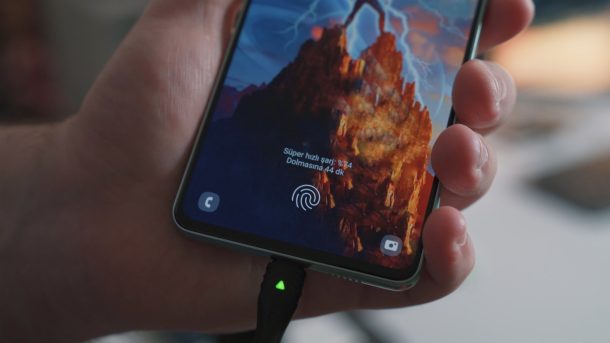
    Security researchers recently compromised various chargers with malicious code to deliver more voltage than the connected device could handle. With this approach in place, the overload caused the components inside the affected electronics to spark, sizzle, and melt. The attack is known as bad power. It works by altering the default parameters in the fast charger firmware.

    Common fast chargers are potentially vulnerable to this attack.

    Let’s understand a little bit how fast chargers work. It may look like a regular charger, but they are built with special firmware. The charger firmware can speak with the connected device to establish a charging speed based on the device’s capabilities — remember that each device has its features and power speed.

    If the target device doesn’t support a fast charging feature, the fast charger delivers the standard power — 5V. On the other hand, if it accepts bigger charging inputs, the charger can use 12V, 20V, or even faster-charging speeds. This is the crucial point where the bad power attack can be exploited.

    Coming to the stage, the bad power attack corrupts the charger firmware. The exploit changes the default charging parameters in the firmware and tampers with it to push a higher voltage than the charging device can handle. This abnormal behavior damages and degrades the receiving device’s components — leading it, in dramatic scenarios, to completely burn.

    These days, exploiting physical and hardware flaws should be considered a common and serious problem. Although bad power can be a beast if the target device is connected to the right charger, the damage caused by this attack would vary, depending on the fast charger model and the mobile device and protection against malicious code.

    The researchers didn’t share the name of the vulnerable products, but the specific vendors were contacted. China’s National Vulnerability Database was also contacted about the potential problem. To mitigate and reduce the risks of this attack, it’s suggested that manufacturers add additional fuses to devices that support lower-voltage fast charging. Another suggestion is to include hardening firmware to prevent unauthorized modifications and deploying overload protection to charged devices. Users must be warned about the problems of using third-party chargers or power banks — for example, in cyber-spaces, airports, shopping, etc.

    How does OAuth 2.0 work?

    Photo by FLY:D on Unsplash

    OAuth 2.0 was originally developed as a way of sharing access to specific data between applications. It works by defining a series of interactions between three distinct parties, namely a client application, a resource owner, and the OAuth service provider.

    • Client application – The website or web application that wants to access the user’s data.
    • Resource owner – The user whose data the client application wants to access.
    • OAuth service provider – The website or application that controls the user’s data and access to it. They support OAuth by providing an API for interacting with both an authorization server and a resource server.

    There are numerous different ways that the actual OAuth process can be implemented. These are known as OAuth “flows” or “grant types”. In this topic, we’ll focus on the “authorization code” and “implicit” grant types as these are by far the most common. Broadly speaking, both of these grant types involve the following stages:

    1. The client application requests access to a subset of the user’s data, specifying which grant type they want to use and what kind of access they want.
    2. The user is prompted to log in to the OAuth service and explicitly give their consent for the requested access.
    3. The client application receives a unique access token that proves they have permission from the user to access the requested data. Exactly how this happens varies significantly depending on the grant type.
    4. The client application uses this access token to make API calls fetching the relevant data from the resource server.

    Before learning how OAuth is used for authentication, it’s important to understand the fundamentals of this basic OAuth process. If you’re completely new to OAuth, we recommend familiarizing yourself with the details of both of the grant types we’re going to cover before reading further.

    What is Phishing?

    Photo by Yogas Design on Unsplash

    Phishing is a cyber attack that gathers sensitive information like login credentials, credit card numbers, bank account numbers, or other financial information by masquerading as a legitimate website or email. Personal information like social security numbers, phone numbers, and social media account information are also common targets for cybercriminals who perform identity theft.

    Common phishing attempts clone financial institutions, emails from colleagues, auction sites, social media sites, and online payment processors. Despite being one of the oldest cyber crimes, phishing remains a large cyber threat to many organizations. This is due to its widespread use and sophisticated phishing campaigns. Phishers are increasingly gathering information about their targets to improve the effectiveness of their phishing messages.

    Security awareness training is a great way to minimize phishing’s cyber security risk. Phishing emails may also contain infected attachments to install malware such as ransomware or to gain unauthorized access to sensitive data to cause a data breach.

    It’s important to remember that some of the biggest data breaches come from outside of your organization. If your third-party vendors have access to sensitive data, then it’s as important to have them educate their staff about phishing risks. Third-party risk, fourth-party risk, and vendor risk related to phishing must be part of your third-party risk management framework and vendor risk management program.

    What is Clickjacking?

    Photo by Sigmund on Unsplash

    Clickjacking is an interface-based attack in which a user is tricked into clicking on actionable content on a hidden website by clicking on some other content in a decoy website. Consider the following example:

    A web user accesses a decoy website (perhaps this is a link provided by an email) and clicks on a button to win a prize. Unknowingly, they have been deceived by an attacker into pressing an alternative hidden button and this results in the payment of an account on another site. This is an example of a clickjacking attack. The technique depends upon the incorporation of an invisible, actionable web page (or multiple pages) containing a button or hidden link, say, within an iframe. The iframe is overlaid on top of the user’s anticipated decoy web page content. This attack differs from a CSRF attack in that the user is required to perform an action such as a button click whereas a CSRF attack depends upon forging an entire request without the user’s knowledge or input.

    Protection against CSRF attacks is often provided by the use of a CSRF token: a session-specific, single-use number or nonce. Clickjacking attacks are not mitigated by the CSRF token as a target session is established with content loaded from an authentic website and with all requests happening on-domain. CSRF tokens are placed into requests and passed to the server as part of a normally behaved session. The difference compared to a normal user session is that the process occurs within a hidden iframe.

    What is an Exploit?

    An exploit is a piece of software, data, or sequence of commands that takes advantage of a vulnerability to cause unintended behavior or to gain unauthorized access to sensitive data.

    Once vulnerabilities are identified, they are posted on Common Vulnerabilities and Exposures (CVE).CVE is a free vulnerability dictionary designed to improve global cyber security and resilience by creating a standardized identifier for a given vulnerability or exposure.

    How Do Exploits Work?

    Exploits take advantage of a security flaw in an operating system, piece of software, computer system, Internet of Things (IoT) device, or other security vulnerability. Once an exploit has been used, it becomes known to the vulnerable system or software developers, is often fixed through a patch and becomes unusable. This is why many cyber criminals and military or government agencies do not publish exploits to CVE but choose to keep them private.

    When this happens, the vulnerability is known as a zero-day exploit. One famous example of a government agency (the NSA) choosing to keep a software vulnerability private is EternalBlue. EternalBlue exploited legacy versions of the Microsoft Windows operating system that used an outdated version of the Server Message Block (SMB) protocol.

    Cybercriminals developed the WannaCry ransomware worm that exploited EternalBlue. It spread to an estimated 200,000+ computers across 150 countries, with damages ranging from hundreds of millions to billions of dollars before EternalBlue was patched. Despite software developers issuing a patch to fix EternalBlue, this known vulnerability continues to be a considerable cybersecurity risk because of poor user adoption of the patch.